The key limitation is setup. You cannot install a monitoring app, grant permissions, or bypass Apple security when you have neither the phone nor authorized account access. Some people can monitor an iPhone without touching it again, but only because family sharing, a companion app, or an approved account connection was configured earlier.
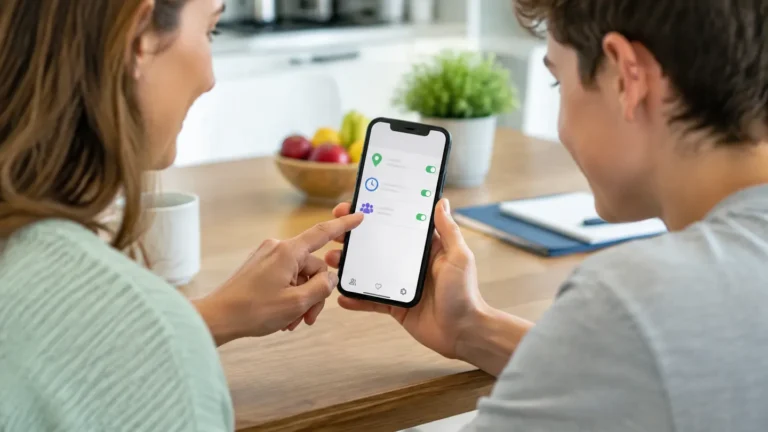
That difference is often omitted from sales pages. “No physical access” may mean no repeated access after installation, not that a stranger can enter a number and open the phone. Before buying, ask the vendor to state exactly what must happen on the iPhone during setup.
Table of Contents
Four iPhone access scenarios
| Scenario | What is possible | Requirement |
|---|---|---|
| Your lost iPhone | Location, lost mode, and remote erase | Your Apple Account and Find My |
| Family member sharing location | Current or last-known location | Prior sharing or new approval |
| Child device you manage | Screen-time, filters, and product-dependent reports | Parental authority and supported setup |
| Unrelated adult’s iPhone | No legitimate covert access | Clear permission is required |
Questions to ask before paying
- Does setup require the unlocked iPhone, Apple Account, or Family Sharing?
- Which features work on the current iOS version?
- How often does the dashboard update, and what happens when the phone is offline?
- Is the subscription renewed automatically, and how is it cancelled?
- Can the monitored user see and remove the configuration?
You cannot reliably monitor an iPhone without touching it at all unless the setup is already lawful and authorized through shared Apple credentials, Family Sharing, or another consent-based arrangement. Anything sold as a magic remote shortcut deserves skepticism.
Updated March 2026
If the real question behind this page is can an iPhone be hacked remotely, our main explainer covers what is possible, what is hype, and which legal options are worth considering.
What Is Realistic
- Family Sharing and Find My for location visibility.
- Shared Apple account or recovery settings where the account is actually yours and the arrangement is legitimate.
- Parental controls on a child’s device after proper setup.
What Is Usually a Scam
- Remote dashboards that promise complete access with only a phone number.
- Sites that ask for surveys, gift cards, or strange downloads before they reveal anything.
- Services that pretend they can bypass Apple security on demand.
Legal Monitoring Apps to Compare
For lawful family oversight, compare tools built for parental visibility and family safety rather than products sold as secret iPhone shortcuts.
| Tool | Best For | Why Compare It |
|---|---|---|
| Qustodio | Family safety and screen time | Better for transparent family rules, web filtering, and routine digital wellbeing. |
| mSpy | Detailed parental monitoring | Useful when a parent or device owner needs broader visibility and the setup is lawful. |
| Eyezy | Feature-rich family oversight | Useful for comparing alerts, activity views, and location features in one dashboard. |
Use these only for a child’s device, your own device, or another lawful use case with notice or consent where required.
Related Security Guides
Next, read our guide to parental control apps for iPhone, our Qustodio review, and how to remove a spy app on your phone.
Frequently Asked Questions
Can an iPhone be monitored remotely without permission?
That is not a lawful use case. Real family-safety setups depend on authorization, account ownership, or consent.
What is the safer route?
Use Family Sharing, Find My, or lawful parental-control tools when the device and relationship context support it.
Compare authorized iPhone monitoring
Sphnix gives buyers a live dashboard preview before checkout. It is intended for devices the buyer owns or is permitted to manage. For other products, verify that the advertised iPhone features match the setup you can complete.
Open the Sphnix demo Choose Sphnix
Partner links may earn Spy Wizards a commission at no added cost to you.
Official iPhone location guidance
Apple explains how an owner can find a lost Apple device with Find My. Google’s official Maps location-sharing guide confirms that the person sharing controls access and duration.
Frequently asked questions
Can I install an iPhone app remotely?
Normal App Store installation and permission grants happen on the phone or through an already-managed family or business environment.
Does iCloud remove the need for permission?
No. Using another person’s credentials without authorization is account intrusion.
What does remote monitoring really mean?
It usually means viewing an online dashboard after legitimate setup, not remotely bypassing the initial setup.
A realistic buyer checklist for no-access iPhone monitoring
Start by writing down what you actually need to see. Location, screen-time limits, web filtering, and safety alerts may be available through family features or a parental-control app, while complete message and call access is much more restricted on iOS. A product page that does not separate iPhone and Android features should not be treated as proof that every advertised function will work.
Ask support whether the initial connection needs the unlocked iPhone, whether two-factor authentication is involved, and what happens after an iOS update. Confirm the update interval as well. A dashboard that refreshes periodically is different from live access, and an offline phone cannot send new activity.
Finally, review the full billing terms. Check the renewal price, refund window, supported-device policy, and cancellation steps before entering payment details. Take a screenshot of the compatibility answer and order terms. This short check prevents the most common disappointment: buying a plan described as remote only to discover that the required setup cannot be completed.
For a child’s phone, a transparent household rule often works better than secrecy. Explain which safety signals are reviewed, when alerts are checked, and how the child can ask questions. The technical setup and the family agreement should support the same purpose.