For over a decade specializing in mobile security, I’ve watched the techniques for accessing iPhone data evolve in a constant battle with Apple’s engineers. The term iphone text message hacking is often misunderstood, conjuring images of instant, remote breaches. In the professional world, it’s a more deliberate process defined by technical workarounds and significant legal considerations. iPhones are not like other devices; their closed ecosystem makes unauthorized access a formidable challenge. However, for those with legitimate rights—like parents or employers—several reliable methods exist. This guide will demystify the process, explain the two distinct technical approaches you must choose between, and provide an honest review of the tools that can make iphone text message hacking a reality within strict ethical boundaries.
Updated February 2026
Critical Legal Disclaimer: Accessing text messages on an iPhone you do not own or have explicit permission to monitor is illegal. It violates federal laws like the Computer Fraud and Abuse Act and state-level privacy statutes. This information pertains to legal use cases: parental control of minors, monitoring company-owned devices with consent, or accessing your own device. Unauthorized access is a crime.
Table of Contents
Why iPhone Text Access is Uniquely Challenging
Understanding why iphone text message hacking is complex requires a look at Apple’s security architecture. The iPhone is designed as a fortress:
- The App Sandbox: Applications are isolated from each other and from core system data. A messaging app cannot read the data of another app, and a third-party app cannot directly access the SMS/iMessage database.
- End-to-End Encryption: iMessages (blue bubbles) are encrypted between Apple devices. The encryption keys are stored on the devices themselves, not on Apple’s servers.
- Signed Code and App Store Gatekeeping: iOS only runs code signed by Apple, preventing the easy installation of monitoring software from the web.
- Secure Enclave: A dedicated hardware chip manages passcodes and encryption keys, making brute-force attacks practically impossible.
This design means there’s no simple exploit. Professional methods work within specific, sanctioned frameworks or require altering the device’s core software.
The Fundamental Choice: Jailbreak vs. Non-Jailbreak Monitoring
Your entire strategy hinges on one decision, defining the tools you can use and the data you can access.
The Jailbreak Path (Maximum Access)
Jailbreaking removes Apple’s software restrictions, allowing installation of unapproved apps and granting deep system access.
- Pros: Enables powerful monitoring apps that can directly log iMessages, SMS, keystrokes, and more in real-time.
- Cons: Voids warranty, can destabilize the device, poses a security risk by removing protections, and is a detectable process.
- Reality: It’s the only way to achieve true, real-time, comprehensive iphone text message hacking with third-party software.
The Non-Jailbreak Path (Limited, Indirect Access)
This method uses Apple’s own systems, primarily iCloud, to extract data.
- Pros: Does not alter the phone or void the warranty. Less technically complex.
- Cons: Severely limited. Relies on having the target’s iCloud credentials and typically only provides periodic data dumps from backups, not live monitoring.
- Reality: It’s less “hacking” and more “authorized data extraction.” Functionality and timeliness are constrained.
Tool 1: Sphnix Tracking App (Jailbreak Solution)
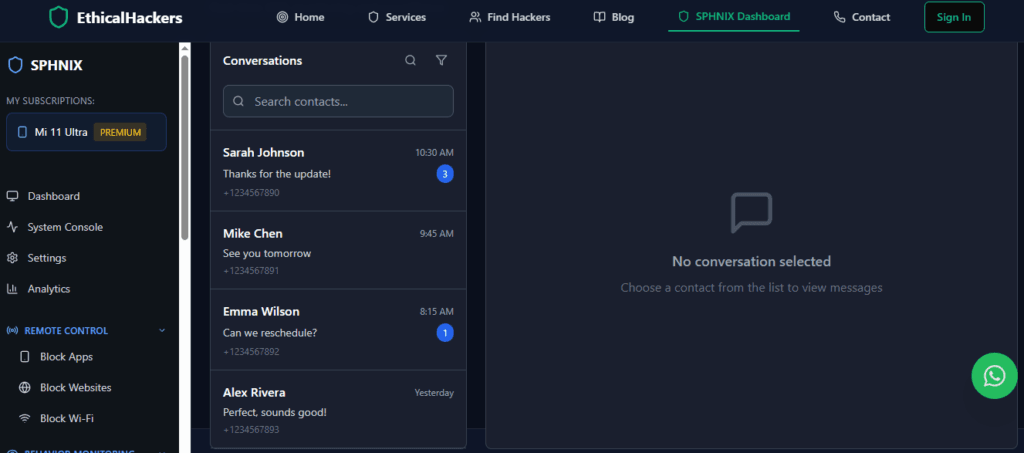
Sphnix is a high-power surveillance suite that reaches its full potential on a jailbroken iPhone. It’s built for users who need depth and have accepted the trade-offs of jailbreaking.
How it Accesses iPhone Texts:
Once the iPhone is jailbroken, Sphnix installs a system-level daemon that can directly query the device’s encrypted message databases, capturing data as it is sent and received.
Key Features for iPhone Text Hacking:
- Direct iMessage/SMS Database Access: Logs both blue and green bubble conversations with content, timestamps, and attachments.
- Deleted Message Capture: Can often retrieve messages deleted from the native Messages app before they are overwritten.
- Media Extraction: Automatically saves photos, videos, and files shared via messages to your dashboard.
- Jailbreak-Specific Stealth: Includes features to help hide the jailbreak’s presence from routine detection.
- Comprehensive Remote Dashboard: All data is presented in a unified, web-based control panel.
Tool 2: Eyezy (Hybrid Approach with Smart Features)
Eyezy is a modern monitoring platform that offers solutions for both jailbroken and non-jailbroken iPhones, emphasizing data intelligence and user-friendly alerts.

How it Accesses iPhone Texts:
- Jailbreak Method: Provides direct database access for real-time iMessage and SMS logging.
- Non-Jailbreak Method: Utilizes iCloud backup extraction if credentials are supplied, pulling message history from the target’s last backup.
Key Features for iPhone Text Hacking:
- Keyword Alerts for iMessages/SMS: Set triggers for specific words or phrases. Get instant notifications in your dashboard if they appear in a text.
- Social Spotlight Integration: Presents text messages alongside data from social media apps, providing communication context.
- Smart Notification Analysis: Even in non-jailbreak mode, can sometimes analyze notification data for insights.
- Clean Conversation View: Organizes messages in an easy-to-read, chat-style format.
- Focus on Intelligence: Goes beyond raw logs to highlight patterns and potential risks.
Tool 3: Spynger (Streamlined Monitoring Focus)
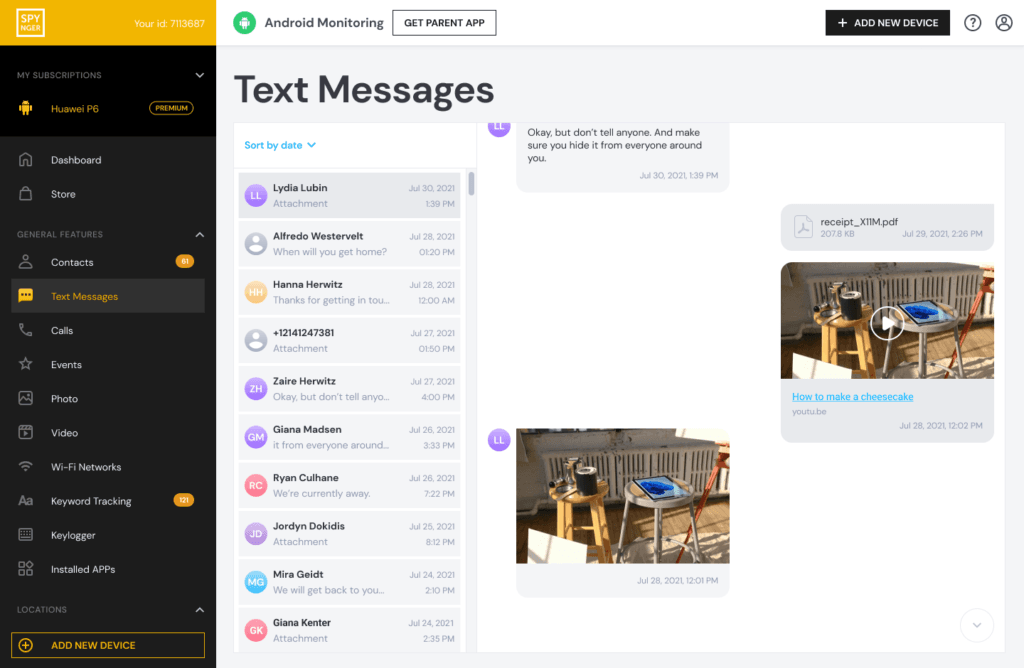
Spynger offers a more streamlined set of features, often positioning itself as a reliable and straightforward solution for core monitoring tasks like text access.
How it Accesses iPhone Texts:
Spynger typically relies on the non-jailbreak, iCloud-based method, making it a contender for users who want to avoid modifying the target device.
Key Features for iPhone Text Hacking:
- iCloud-Based Message Extraction: Accesses and displays SMS and iMessage history from the target’s iCloud backup.
- Contact-Centric View: Organizes messages by contact, making it easy to follow specific conversations.
- Basic Search Functionality: Allows you to search through extracted message history.
- Simple Dashboard Design: Focuses on presenting message data clearly without excessive complexity.
- Low-Friction Setup: Avoids the technical hurdles of jailbreaking, relying on iCloud credential input.
The Installation Process: Two Very Different Paths
Jailbreak Path (for Sphnix & Eyezy’s full features):
- Research & Execute Jailbreak: Use a current, stable tool like unc0ver or palera1n. This is the most critical and risky step.
- Install Package Manager: The jailbreak installs an app like Sileo or Cydia.
- Add Repository: Input the monitoring app’s private repository URL into the package manager.
- Install Monitoring Package: Download and install the app directly to the iOS filesystem.
- Configure & Conceal: Set up the app and use additional jailbreak tweaks to hide its presence.
Non-Jailbreak Path (for Eyezy/Spynger iCloud method):
- Obtain iCloud Credentials: You need the target’s Apple ID and password. Two-factor authentication (2FA) is a major barrier; it often must be temporarily disabled.
- Verify iCloud Backup Settings: Ensure “Messages” are included in iCloud Backups on the target device.
- Provide Credentials to Service: Enter the iCloud details into the monitoring service’s setup panel.
- Wait for Data Sync: The service will extract data from the latest backup. This is not live; it’s a snapshot that updates with each new backup.
How to Defend Your iPhone Against These Methods
Knowledge is your best defense:
- Protect Your Apple ID At All Costs: Use a strong, unique password and never share it. This is the primary key to your data.
- Enable Two-Factor Authentication (2FA): This makes non-jailbreak methods virtually impossible for an attacker without access to a trusted device.
- Regularly Review Trusted Devices: Go to Settings > [Your Name] and check your device list. Remove anything unfamiliar.
- Avoid Jailbreaking: It fundamentally compromises device security. If you didn’t jailbreak it yourself, check for Cydia or Sileo app icons.
- Check for Configuration Profiles: Go to Settings > General > VPN & Device Management. Remove any profiles you don’t recognize.
- Update iOS Immediately: Updates patch the vulnerabilities that jailbreaks exploit.
Conclusion: A Calculated Technical Endeavor
The field of iphone text message hacking for legitimate purposes is one of calculated choices and technical trade-offs. You must decide between the depth and risk of jailbreaking (with a tool like Sphnix) or the limitations and simplicity of iCloud-based methods (with tools like Eyezy or Spynger). Each path serves different needs under the umbrella of authorized monitoring.